




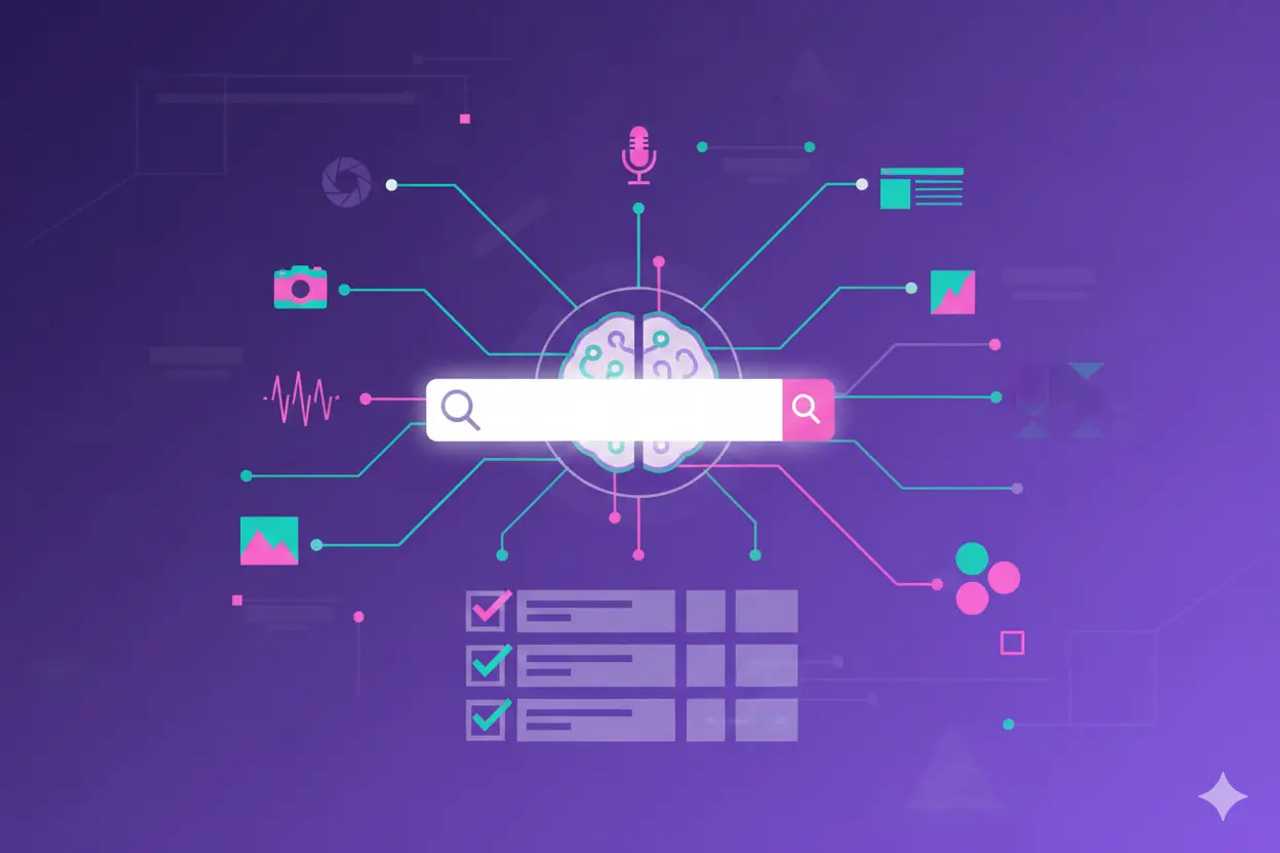
AI search now blends text, images, video, and audio.
To win citations and clicks, you need content, metadata, and performance that work across formats.
This playbook shows you how to plan, ship, and measure multimodal assets that feed AI Overviews, assistants, and classic search while staying accessible and compliant.
Why multimodal matters now
AI Overviews and assistants surface mixed media answers. Strong visuals and transcripts increase citation odds.
Users expect proof: screenshots, demos, and diagrams back up claims and drive trust.
Accessibility and metadata are now growth levers. Clear alt text, captions, and schema help both users and AI.
Multimodal assets travel across channels: search, social, chat, and email. One system keeps them consistent.
Core principles
Build around entities. Every image, video, and paragraph should reinforce the same people, products, and concepts.
Keep answer-first intros with supporting visuals near the top of the page.
Use structured data for every asset type you publish.
Make accessibility non-negotiable. Transcripts, captions, and alt text improve understanding and eligibility for AI answers.
Localize assets and metadata for EN, PT, and FR to match user intent per market.
Content model for multimodal hubs
Core entity page: answer-first copy, FAQ, and HowTo blocks, Organization/Person and Product/Service schema.
Image set: descriptive filenames, alt text, captions, and ImageObject schema. Include context near images.
Video asset: short clip with chapters, transcript, VideoObject schema, and key moments marked. Host on fast players and embed near relevant copy.
Audio/podcast (optional): transcript, summary bullets, and AudioObject schema.
Supportive data: tables, comparison charts, and downloadable guides.
Link assets together with internal anchors so assistants and users can jump to the right section.
Metadata and schema checklist
Article, FAQPage, HowTo, Product/Service, and LocalBusiness where relevant.
ImageObject with caption, license, author, and source URL.
VideoObject with duration, thumbnail, transcript URL, and key moments.
AudioObject with transcript and creator info.
Organization and Person schema with
sameAslinks for trust.Localize
headline,description, andinLanguagefields. Use hreflang for market variants.
Accessibility as an optimization lever
Alt text that describes the image and ties to the query intent.
Captions and transcripts for every video and audio asset.
High-contrast, readable captions that match spoken words.
Descriptive link and button text so screen readers and agents understand actions.
Accessible tables with headers and summaries for charts.
Page layout patterns that work
Put the answer and a supporting visual above the fold. Keep CTAs close.
Use short paragraphs and lists around visuals to give AI clear context.
Add anchor links to sections, tables, and videos so assistant browsers can deep link.
Avoid heavy popups or interstitials near the top because they block assistant rendering.
Ensure mobile layouts keep captions and CTAs visible without scrolling far.
Production workflow
Start with the query and entity list. Define what visuals and audio support the answer.
Draft answer-first copy and outline visuals and metadata.
Create assets with consistent branding and file naming. Generate transcripts and captions.
Add schema and accessibility fields. Validate in testing tools.
Publish and test on mobile and desktop. Check CWV and rendering for assistant browsers.
Monitor AI citations, image and video impressions, and engagement. Iterate monthly.
Multimodal AI search testing prompts
“Describe the image at [URL]. Does it match the query intent [query]? Suggest clearer alt text.”
“Summarize the first 30 seconds of this video. Are key claims accurate and sourced?”
“For this page, what media would you cite in an AI Overview? Why?”
“Compare EN, PT, and FR versions of this page. List differences in visuals, captions, and schema.”
“Recommend three visuals to add for query [query] to increase clarity for assistants.”
Measuring performance
Track image impressions and clicks, video views and completion, and audio plays.
Monitor AI citations that reference your media or captions.
Watch engagement on pages with multimedia: bounce, scroll depth, time on page, conversions.
Track AI-driven sessions and assisted conversions from pages cited in AI answers.
Compare markets to see where localized visuals lift inclusion.
Connecting to AI Overviews and assistants
Keep summaries and captions concise and factual. Assistants quote them when clear.
Add supporting sources near visuals so AI can verify claims.
Use structured data to mark key moments in video (clip markup) for assistants that surface timestamps.
Monitor snippet accuracy. If AI misstates a visual, update captions and copy, then retest.
Multilingual implementation
Create locale-specific captions, transcripts, and alt text written by native speakers.
Adjust units, currencies, and examples per market.
Include local references or regulatory notes in visuals where relevant.
Validate schema fields per language and ensure hreflang points to the right variants.
Track inclusion and citations per market and adjust where one lags.
Vertical examples
B2B SaaS: show short setup clips, architecture diagrams, and SOC evidence screenshots. Add transcripts and HowTo schema to guides.
Ecommerce: use comparison photos, materials close-ups, and sizing charts with alt text and ImageObject schema. Add video try-ons where useful.
Local services: add team photos, service area maps, and before/after shots with clear captions and LocalBusiness schema.
Healthcare: use medically reviewed diagrams with sources and reviewer names. Keep captions precise and include disclaimers.
AI assistant alignment
- Test how assistants describe your visuals and clips. If descriptions drift, tighten captions and surrounding copy.
- Add short textual summaries near visuals so AI models can pick up context even if they skip transcripts.
- For videos, add chapters that map to common user questions and mark key moments in VideoObject schema.
- Include source links and dates near visuals. Assistants need verifiable anchors to trust and cite media.
- Monitor AI Overviews and chat answers for incorrect references to visuals and fix quickly.
Asset naming and storage standards
- Use descriptive filenames that include the entity, topic, and market (example:
sneaker-materials-pt.jpg). - Store metadata in your DAM: alt text, caption, license, creator, last review date, and related URL.
- Keep a schema snippet with each asset for reuse. Note where it appears on site.
- Track usage so you retire outdated visuals and avoid duplication.
Governance for multimedia teams
- Assign owners for each template type (blog, product, docs, landing page) and define required assets and metadata.
- Set review steps: creator, SME reviewer, accessibility check, schema validation, and final QA.
- Keep a change log for captions, transcripts, and schema updates.
- Run quarterly audits to catch missing captions, broken embeds, and outdated screenshots.
- Train teams on accessibility and AI search basics so quality stays high.
Performance monitoring and fixes
- Watch LCP and CLS on pages with heavy media. If metrics slip, compress assets, defer non-critical scripts, and trim third-party tags.
- Track video buffering and drop-off. If users abandon early, shorten intros and preload key scenes.
- Review image dimensions to avoid layout shifts. Use aspect ratio boxes for stability.
- For audio, ensure players do not block interaction and that transcripts are easy to find.
Analytics examples
- Build a dashboard showing AI citations that reference your media. Include snippet text and linked assets.
- Chart image and video impressions by market and device. Compare against AI inclusion to see which assets drive visibility.
- Track conversions from pages with upgraded multimedia versus control pages. Highlight revenue differences.
- Monitor engagement on transcripts. If users read them, they likely aid accessibility and AI parsing.
Case scenarios
- SaaS launch: New feature page includes a 60-second demo with captions, a diagram, and a checklist. After launch, AI Overviews cite the diagram and the demo. Signups from cited pages rise and support tickets drop.
- Retail refresh: Category hub adds comparison photos, alt text, and a short try-on video with chapters. Perplexity starts citing the hub, and add-to-cart rate on assistant-driven sessions climbs.
- Local clinic: Health guide includes reviewed diagrams, captions, and a doctor bio with schema. AI Overviews resume citations, and appointment requests from cited pages grow while staying compliant.
Testing and iteration cadence
- Weekly: spot-check AI answers for top pages, validate schema, and fix broken embeds.
- Monthly: refresh one cluster with new visuals or updated captions. Measure engagement and inclusion changes.
- Quarterly: audit the asset library, retire outdated media, and add new references or data.
- After major releases: retest AI citations and crawl coverage. Ensure new visuals load fast and carry correct metadata.
Prompts for QA and ideation
- “List missing visuals that would clarify this section for [query]. Suggest alt text and captions.”
- “Check if the current captions match the spoken words in this video. List mismatches.”
- “Evaluate whether this table is readable by screen readers. Suggest fixes.”
- “For the PT version of this page, rewrite alt text to match local phrasing and units.”
Tying multimodal work to revenue
- Attribute conversions to pages with upgraded media and AI citations. Compare to baseline periods.
- Track assisted conversions from AI-driven sessions landing on pages with strong visuals.
- Report how multimedia improvements reduce support contacts by making answers clearer.
- Share before/after examples with metrics in leadership updates to secure ongoing investment.
Governance and asset management
Store assets in a centralized library with metadata fields: entity, market, license, and last updated date.
Version control captions and transcripts. Keep a log of changes and reviewers.
Run quarterly audits for broken embeds, missing captions, and outdated visuals.
Set ownership for each template so updates happen fast and safely.
Performance and technical hygiene
Compress images and use modern formats (WebP/AVIF). Lazy load below the fold.
Deliver video via fast CDNs and keep file sizes lean. Offer multiple resolutions.
Test mobile playback and captions across devices.
Ensure fast LCP and stable CLS. Remove render-blocking scripts near media.
Add structured data validation to your CI/CD pipeline.
Analytics setup
Track media events (plays, pauses, completes) in analytics. Segment by market and device.
Tag pages that carry key visuals and videos. Compare engagement to pages without them.
Join AI citation data to media performance to see which assets influence AI answers.
Build dashboards for leadership with inclusion, engagement, and revenue influenced by multimodal pages.
Set alerts for drops in media impressions, AI citations, or CWV on asset-heavy pages.
30-60-90 plan
Days 1-30: pick three priority pages. Add answer-first copy, alt text upgrades, transcripts, and schema. Fix performance basics.
Days 31-60: add or refresh videos with chapters and captions. Localize assets for PT and FR. Start AI citation tracking for the pages.
Days 61-90: expand to more pages, build the asset library, automate validation checks, and present results to leadership.
Common mistakes and fixes
Stock-only visuals with weak captions. Fix with original images and specific descriptions.
Missing transcripts. Fix by generating and editing transcripts for every video and audio file.
Bloated media that slows pages. Fix with compression, lazy loading, and CDN delivery.
Schema mismatched to content. Fix by aligning values to visible text and validating weekly.
Ignoring accessibility. Fix by adding alt text, captions, and clear CTA labels.
How AISO Hub can help
AISO Audit: reviews your multimodal assets, schema, and performance to find quick wins for AI visibility
AISO Foundation: builds your multimodal templates, metadata standards, and dashboards so teams ship fast with governance
AISO Optimize: produces and refreshes visuals, captions, and transcripts that win citations and conversions
AISO Monitor: tracks AI citations, media performance, and CWV weekly with alerts and exec-ready summaries
Conclusion
Multimodal search optimization blends storytelling and structure.
When you align text, visuals, audio, and metadata around clear entities, assistants and users can understand and trust your brand.
Use this framework to plan, ship, and measure assets that earn citations, clicks, and conversions in every market.
If you want a partner to design and run the system, AISO Hub is ready.